Record the finding
A driver or transport team reports a defect against the vehicle, with notes and photos.
INSPECTION PORTAL · BY 24/7 CCR
From the driver’s first check to the mechanic’s signed report. Bring inspections, defects and fleet records together in a portal built for commercial vehicle workshops.
For independent workshops, truck & trailer fleets.
ONE WORKFLOW. THREE PORTALS.
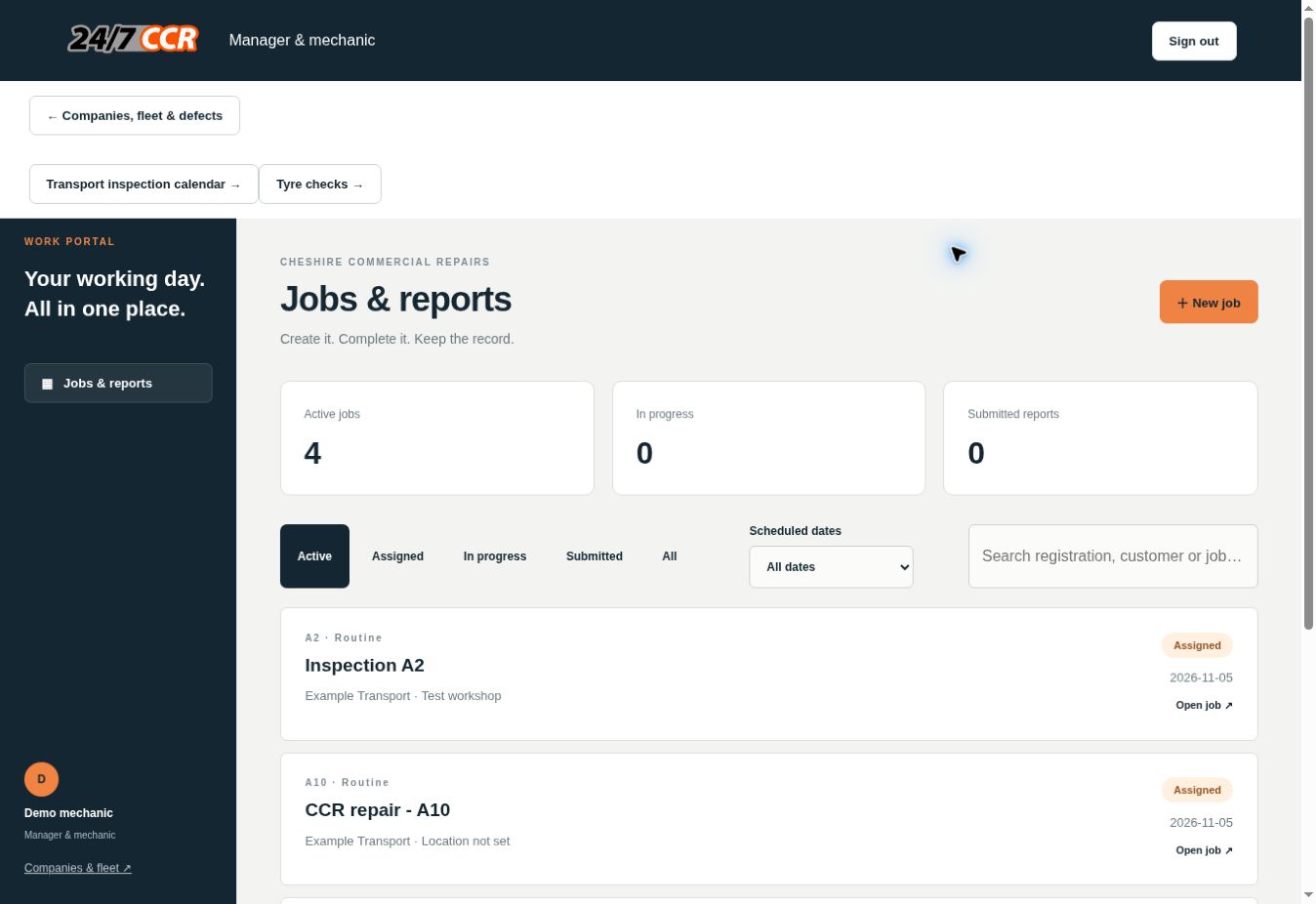
Your workshop manages the work. Each customer sees its own fleet. Drivers have a dedicated daily-check login.
THE WORKSHOP VIEW
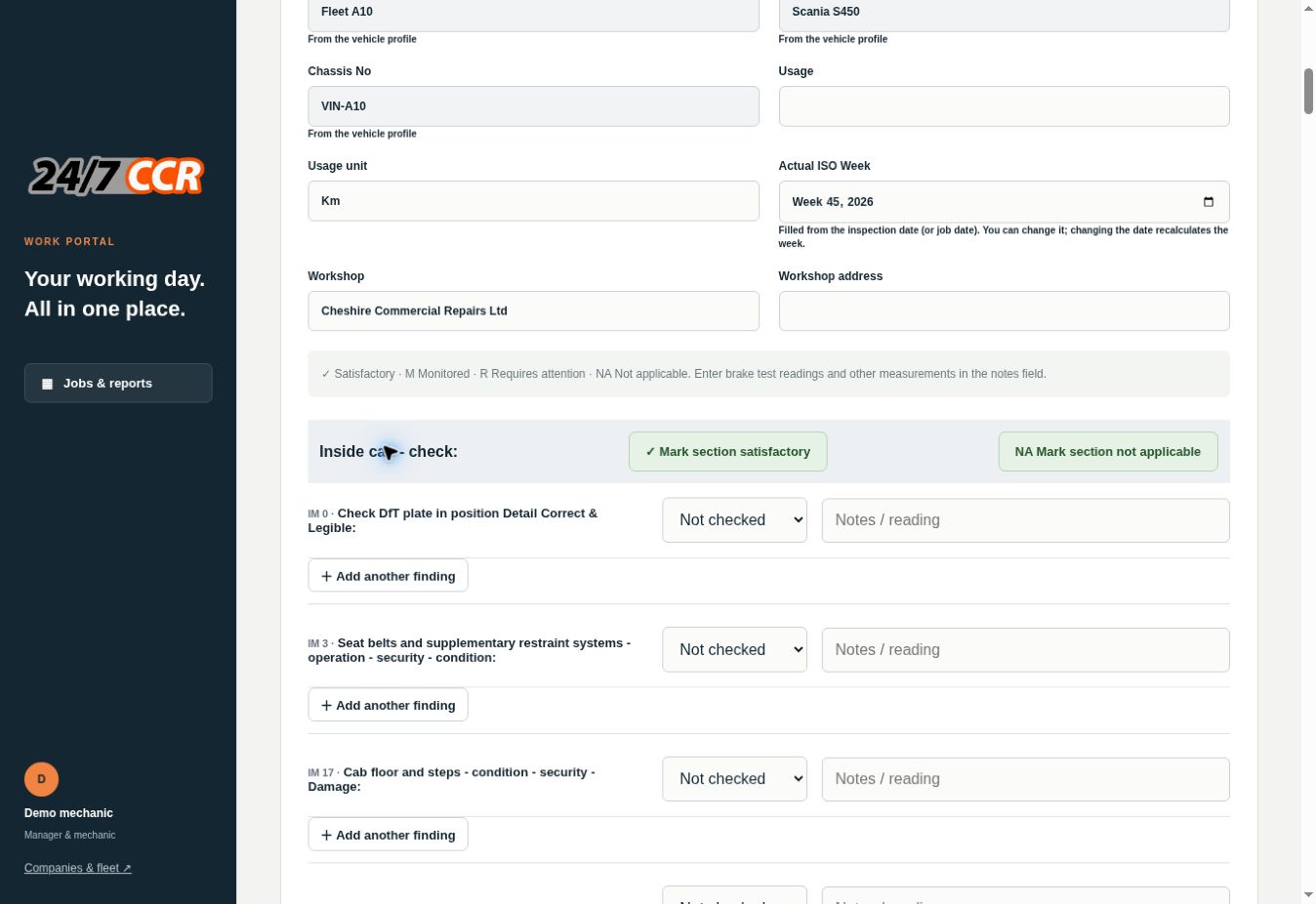
Manage your own customers and their vehicles, allocate jobs and build a service history as work is completed.
THE CUSTOMER VIEW
Give each transport customer access to its own trucks and trailers, with records filed against the right vehicle.
A10Scania S450Defect reported
A2Kässbohrer trailerNo open defects
BEFORE THEY DRIVE
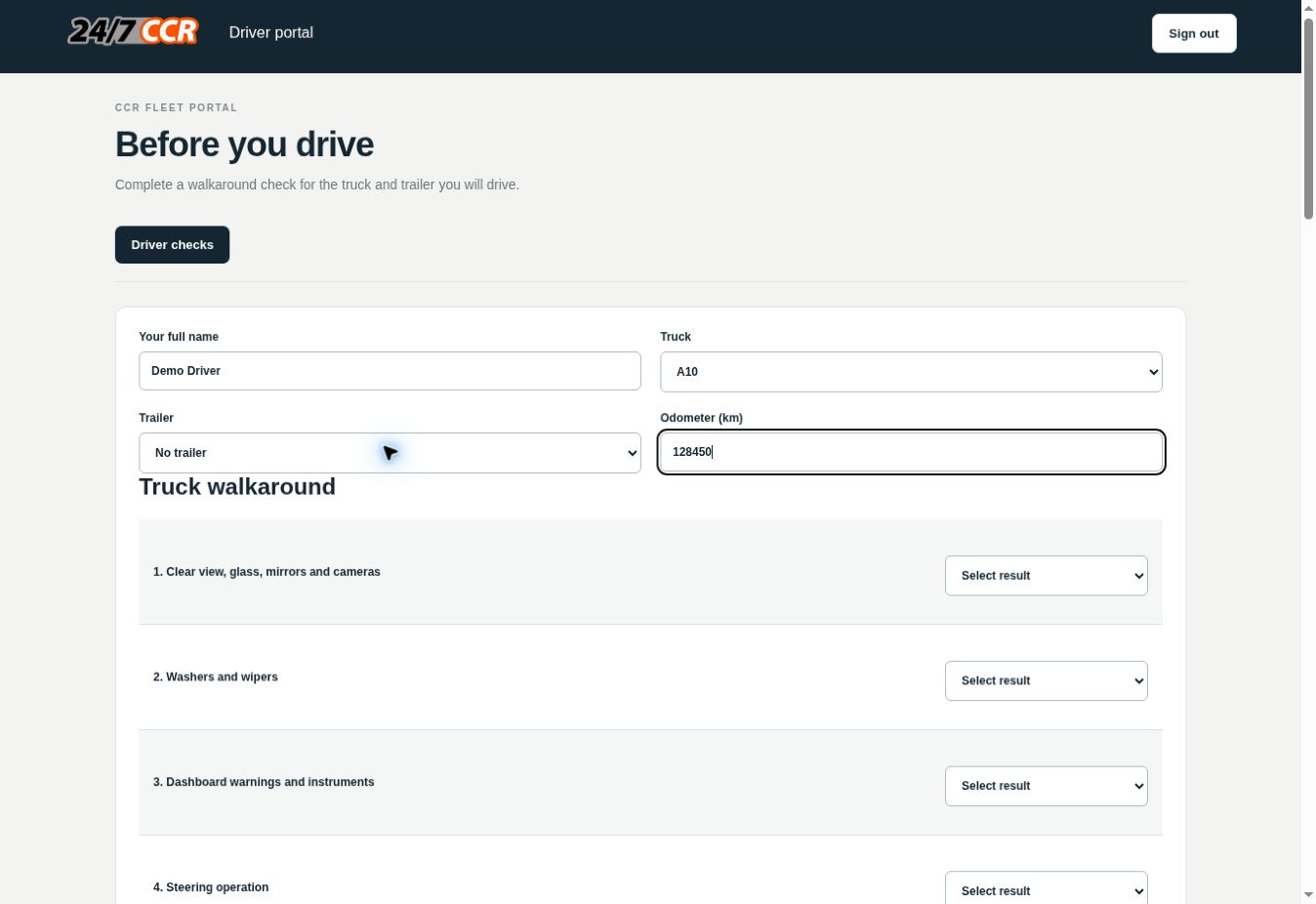
Drivers choose their truck and trailer, record the daily walkaround and add photos of anything that needs attention.
FROM FINDING TO FINISH
A driver or transport team reports a defect against the vehicle, with notes and photos.
Transport decides whether your workshop or an external mechanic will carry out the work.
Your mechanic signs and submits the job. Transport sees the completion notification and report.
YOUR BUSINESS STAYS YOURS
Run your own operation, with your own customers and their records.
Each subscribing workshop is set up with its own portal address, database and private document storage. Another workshop’s account does not grant access to your customers, jobs, photos or reports.
Within your portal, transport customers see only their company’s fleet. Driver logins are limited to daily checks.
Access is arranged after your enquiry. Your portal is created and checked before account details are issued.
Request your workshop portal ↗Own login · Own records · Own storage
BUILT AROUND THE WORK YOU DO
Record results, findings and sign-off. Download reports to keep with the vehicle’s service history.
Record tread depths, pressures and tyre problems, with photo attachments and PDF downloads.
Plan inspections, servicing, repairs and MOT work. Share which vehicles are available to use.
Keep service sheets, defects, driver checks and external repair documents together by vehicle.
LET’S SET UP YOUR WORKSHOP
Tell us about your workshop and fleet. We’ll discuss your requirements, demonstrate the portals and provide a quote for your own account.
No account is created or payment taken by this form.
Your enquiry is emailed directly to CCR using FormSubmit. We use your details to respond and discuss your workshop portal.
Workshops are provisioned with separate portals, databases and private file storage. Workshop logins are issued for that workshop’s portal only. The service operator manages hosting and authorised support.
Yes. Your workshop can create customer transport accounts and separate daily-check driver accounts. Transport customers can view their own fleet records and approve repair work.
No. Driver accounts are restricted to selecting their company’s vehicles and submitting daily checks and photos.
Enquire with your workshop name and approximate fleet size. We’ll discuss your requirements and give you a quote before setting up your portal.